Board
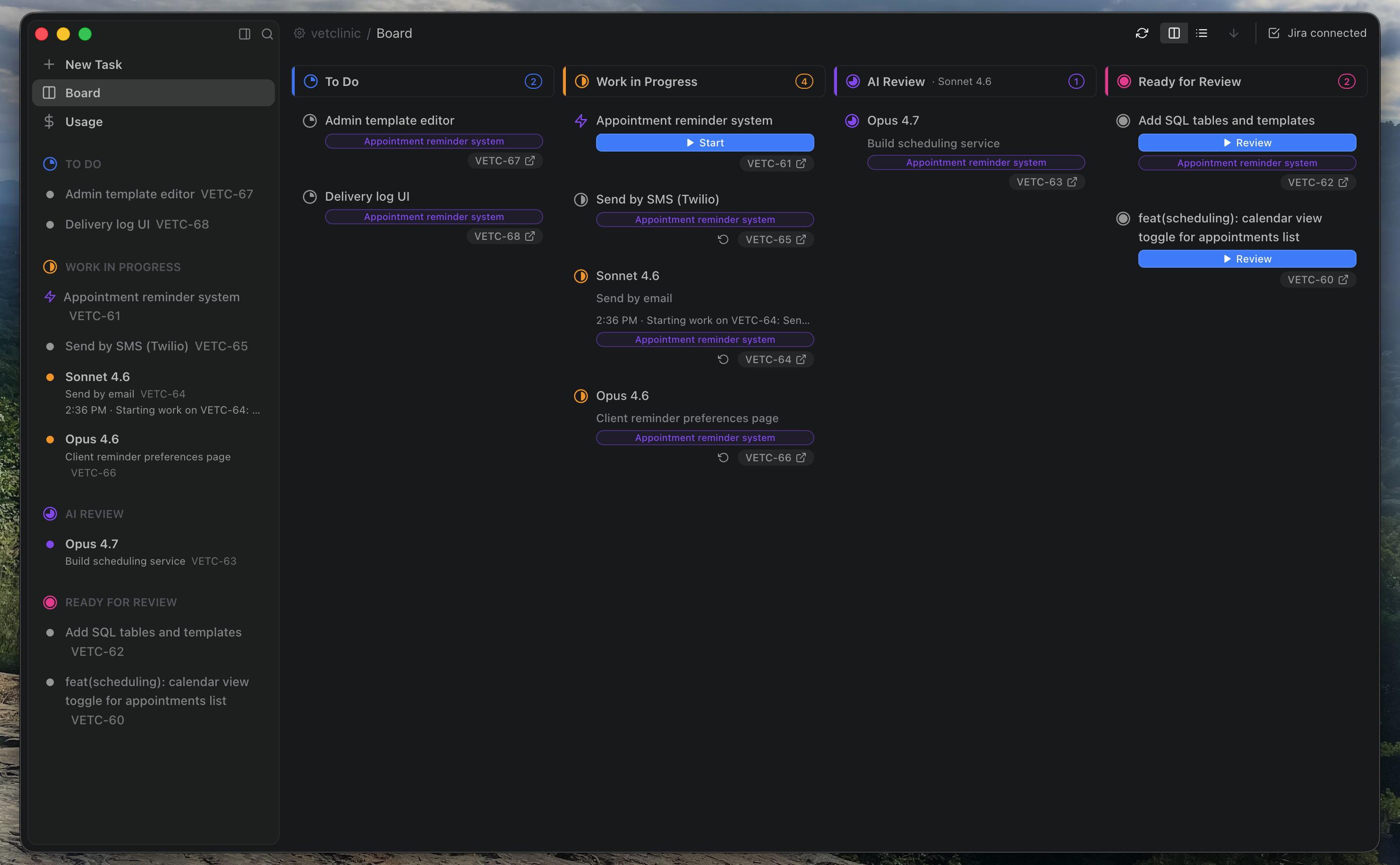
The Board shows every issue’s position in the pipeline and the agents working on them.
Workers and reviewers
Section titled “Workers and reviewers”Running unlimited agents could tax your CPU. Cate limits parallel work with worker and review pools. Settings → Agents lets you set the maximum number of each that run in parallel — that’s how many agent sessions will be active at once.
If you start more tasks than your worker limit, the extras queue up and start automatically as workers become idle. You can also drag a task directly onto an idle worker in the sidebar to start it immediately.
Starting and restarting tasks
Section titled “Starting and restarting tasks”Click the play button on any queued issue to start it, or drag it to an idle worker in the sidebar. Cate creates a fresh git worktree for the session and the agent gets to work.
If an agent session crashes, the task shows as stuck. Click restart to recover it — Cate spins up a new session in the same worktree.
The Done column
Section titled “The Done column”If you’re using Cate’s built-in issue tracker (not Jira, GitHub, or Linear), you get a Done column on the board. You can drag issues freely between To Do, In Progress, and Done to manage your backlog by hand.